

How to Deposit on iCrown
A concise & comprehensive guide for Malaysian players — updated: 2025.
Create Your iCrown Account Start Your Deposit View iCrown Promotions
Typical processing time
Popular methods supported
Customer assistance
Basic Requirements & Safety
- Use a valid, verified iCrown account.
- Ensure the bank/e-wallet account holder name matches your iCrown account details.
- Enable two-factor authentication and never share your OTP.
Tip: Check active Rewards & Bonuses before depositing so you won’t miss promotions.
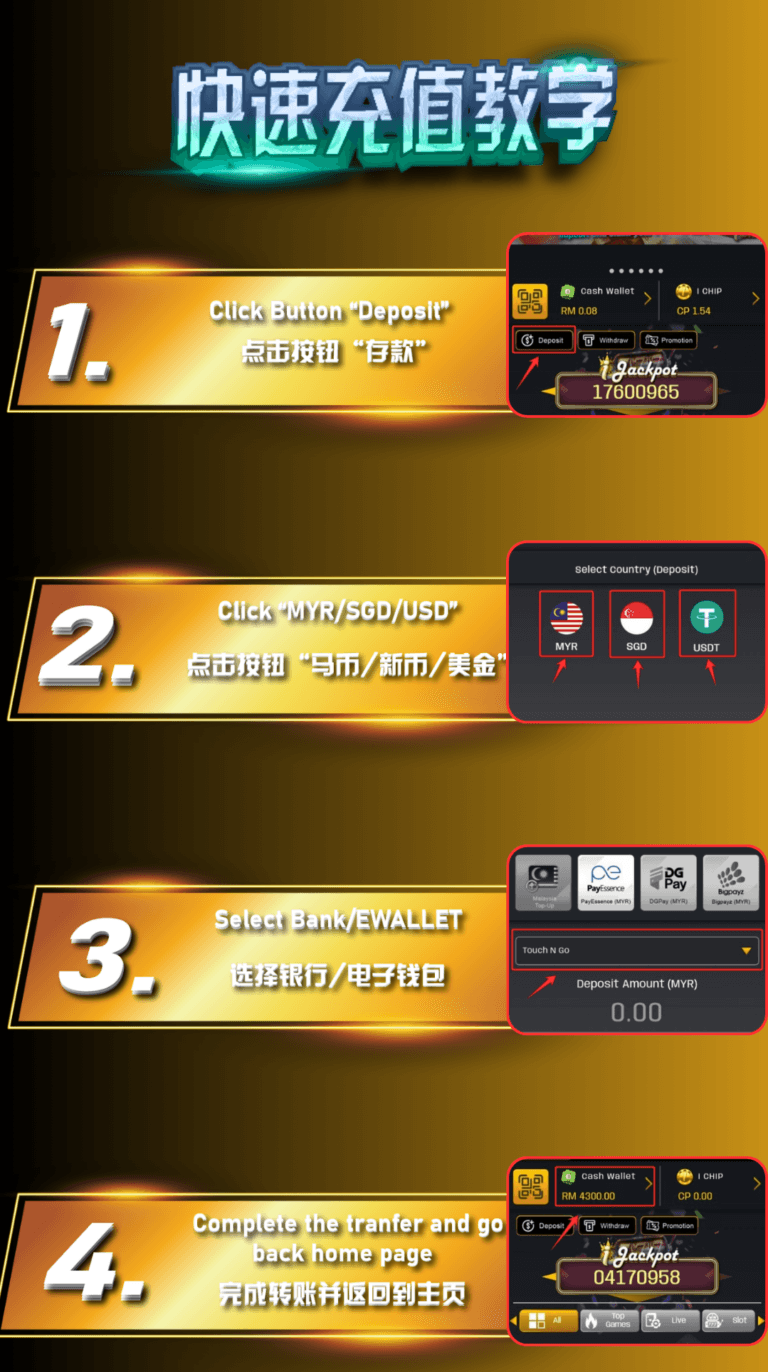
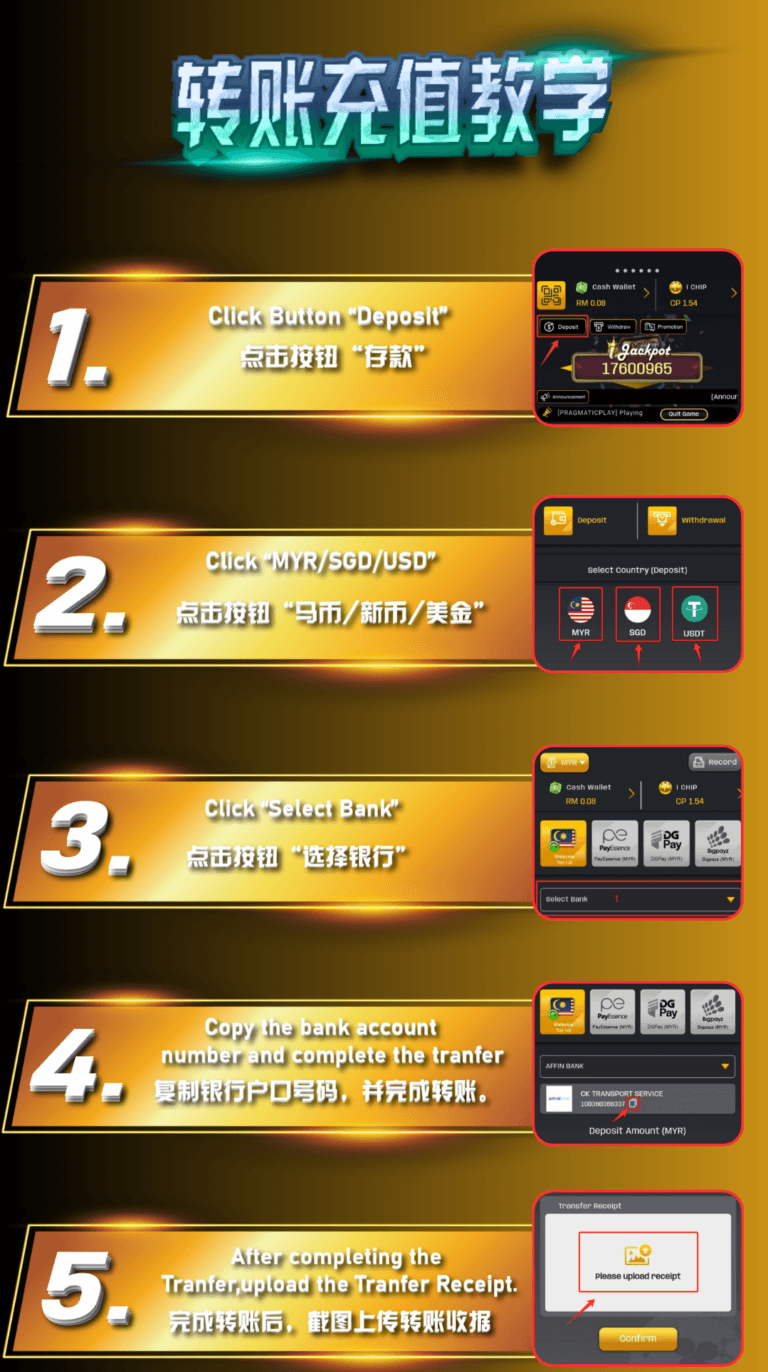
Step-by-Step Deposit
Log in to iCrown
Access the official iCrown site and go to Deposit or How to Deposit.
Choose a Payment Method
Select FPX/Online Banking, e-wallet, or card. Review offers on iCrown Promotions before proceeding.
Set Amount & Confirm
Enter your deposit amount, check minimum/maximum limits, and confirm the transaction.
Refresh & Check Balance
Your balance will be credited upon success. If delayed, contact support or visit the rewards page.
Supported Payment Methods
- FPX / Online Banking: Most major Malaysian banks are supported.
- E-wallets: Fast movement; processing time is usually instant.
- Debit/Credit Cards: Ensure your transaction limit is sufficient.
Note: Availability can change over time. Check the latest options on the How to Deposit page.
Limits, Fees & Processing Time
- Minimum/Maximum Limits: Depends on the method and your account status.
- Fees: Most transactions have no extra fees; if any, they will be shown before confirmation.
- Processing Time: Usually instant; sometimes a few minutes.
Want to maximise value? Review iCrown Promotions first.
Frequently Asked Questions (FAQ)
- My deposit hasn’t arrived. What should I do?
- Check the transaction status with your bank/e-wallet, refresh your iCrown balance, and contact support if it exceeds 15 minutes.
- Does iCrown charge any deposit fees?
- Generally no. If there are third-party charges, they will be shown before you confirm.
- Can I claim a bonus after depositing?
- Yes. See iCrown Promotions and the Rescue Bonus available.
- Where can I get help?
- Reach support on the iCrown website or register as an agent for dedicated assistance.
Ready to Make a Deposit?
Create your new account and enjoy current promotions for the best value on every transaction.

